Replay the market.
Then trade it on your own terminal.
Bar-by-bar replay and order entry through your own MetaTrader 5 terminal. Prices come straight from your broker through an Expert Advisor you run yourself, and your orders go back out the same way. Neither ever passes through our servers.
Early access. You're in before everyone else: until the beta ends the free tier is temporarily elevated, and there's nothing to buy yet. Enchartiv is under continuous improvement — the roadmap is where the platform grows.
Not open yet. Sign-ups are closed while the last pieces are finished — the site goes live soon.
The Expert Advisor is free and stays free, whatever plan you end up on.
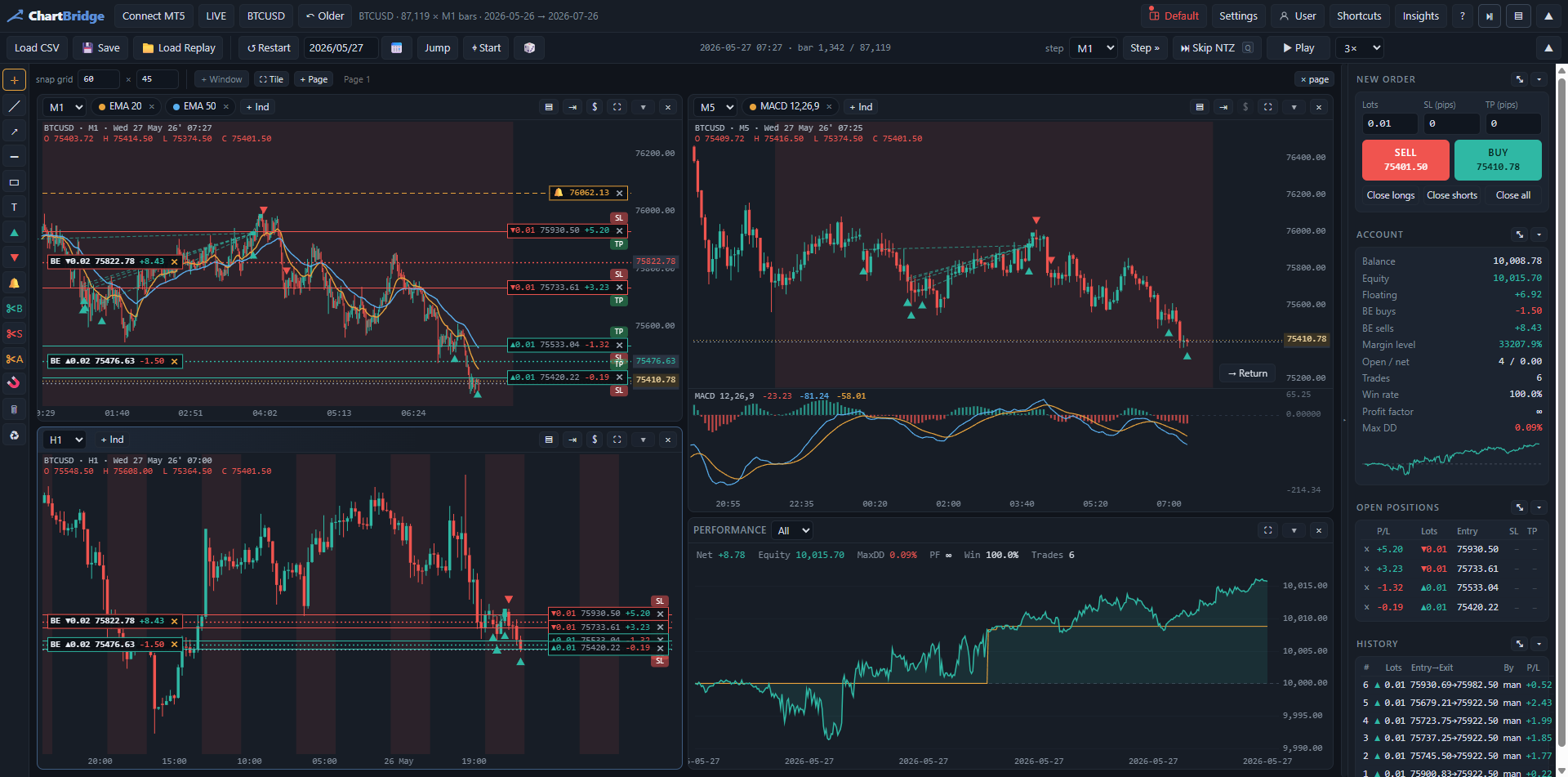
See it working
Why it is different
Replay, honestly
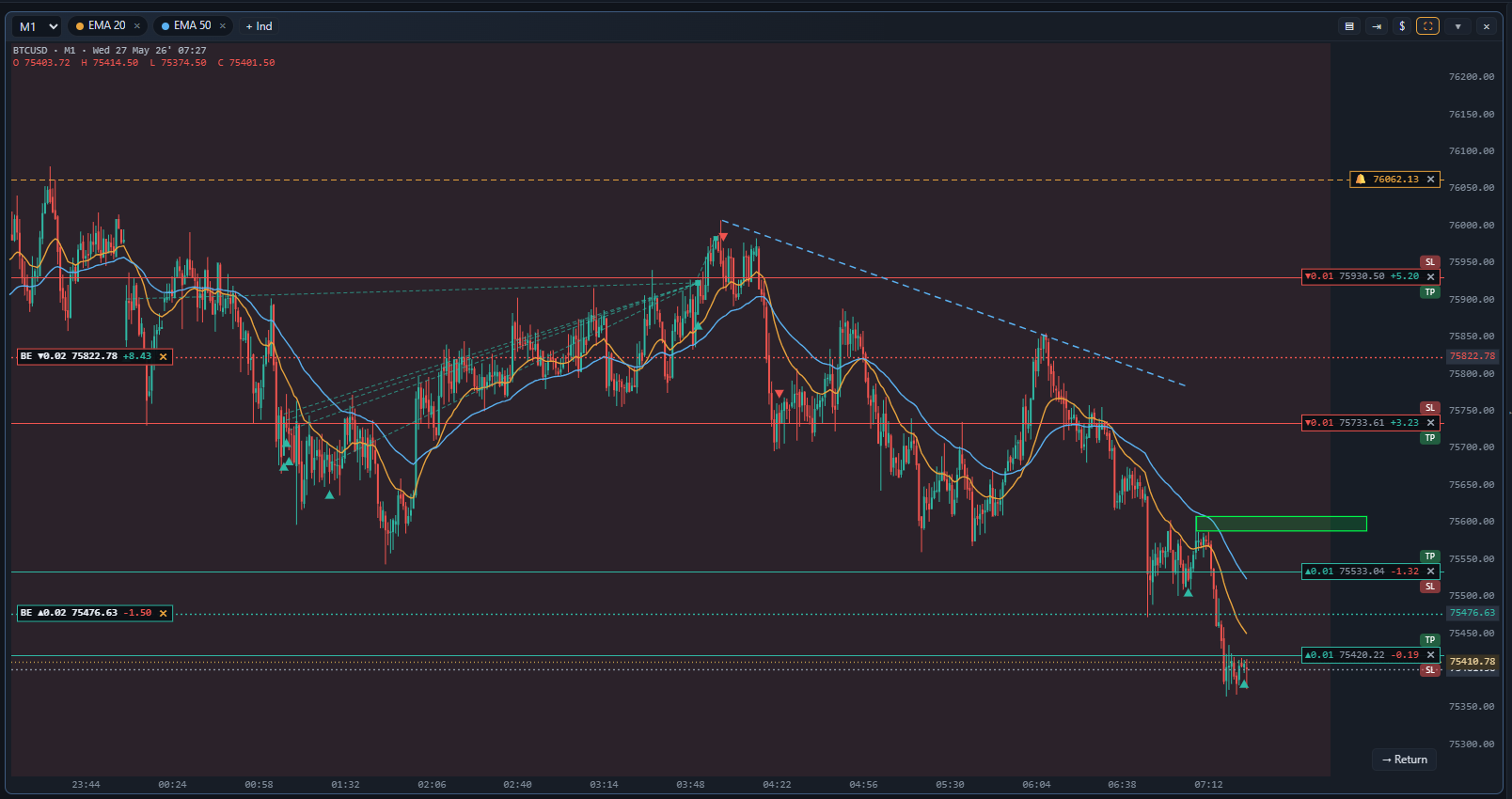
Step candle by candle at your own pace, with the right-hand edge hidden. Spread, commission and swap are charged the way your broker charges them, so a good replay result means something.
Your terminal, your data
A small Expert Advisor opens a bridge on your own PC and the website talks to that. Nobody in the middle, no data feed to pay for, no delay.
We hold almost nothing
Your email, your username, a one-way hash of your password, your plan. Layouts and indicators only if you ask us to sync them. No trades, ever.
Built for the way you actually trade
Hedge or net, like MT5
Run buys and sells side by side, or trade the classic netting style — whichever your account uses, the replay follows the same rules your broker does, down to commission, swap and margin.
Drawings that feel right
Trendlines, levels, zones, long-and-short position tools and notes — click to place, drag a handle to adjust, double-click to restyle. Any line you draw can carry an alert, and Ctrl+Z takes back anything.
Alerts that reach you
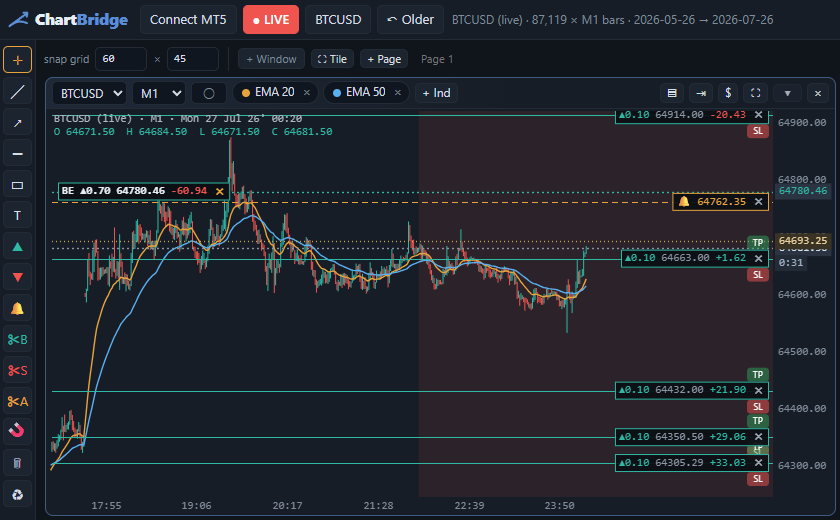
Unlimited alerts on prices, trendlines and zones — and the EA pushes them to Discord or Telegram straight from your own terminal, so a setup that fires does not need you at the desk.
No internet? Still works
Plane mode keeps a replay running with no connection at all — the data is already on your machine, and the EA stays authorised offline for hours. Backtest on the flight.
Automated rules
Plain-sentence automation — when this, then that: auto-close everything at a price or profit level, move stops to break-even, trail them, lock in gains, take partial exits, or flatten the book at a drawdown limit. Build and prove a routine bar by bar in replay; virtual close levels run live too.
Also in the box: live mode on your real account · Insights — win rates, profit calendars and an MT5-style history · stepping by any timeframe, a minute or a day per press · built-in indicators plus a custom indicator editor · candles formed from your broker’s real recorded ticks · saved replays you can reopen anywhere · a development roadmap you can vote on.
Set up in three steps
- Attach the EADrop it on any chart in MT5, tick “Allow DLL imports”. It opens a bridge on your own machine.
- Sign in hereThat is the authorisation — no key to generate, no token to copy, nothing to paste.
- Press Connect MT5Your running terminals are found automatically; pick one and connect. That is the whole setup — there is no step four.
What you need
- MetaTrader 5 on Windows, with any broker
- A browser — Chrome, Edge, Firefox or Brave
- Ten minutes, most of it waiting for MT5
Trading through the bridge is off until you switch it on, and it names the account it would trade before you do.
Straight answers
Does my broker data go to your server?
No. The browser talks to the EA on your own machine over a loopback connection. We never see a price or a position.
Can I use it on more than one computer?
Yes. Sign in anywhere and your layouts, settings and custom indicators follow you — if you turn that on. Otherwise they stay on the machine that made them.
What happens if I stop paying?
The EA keeps running and your data stays where it always was: on your machine. The website stops opening the charts, which is the part you were paying for.
Is it safe to let it trade?
Trading is off by default and has to be switched on in the EA itself, on the terminal, where it names the account. Test on a demo account first — every time.
Live soon.
Accounts are not open yet — but you can try the whole thing right now, no sign-up. When accounts open there will be no card and no trial clock; paid plans arrive later, and the EA stays free either way.
Trading carries risk. Enchartiv is a charting and execution tool; nothing in it is investment advice, and replay results do not predict live results.